See the whole chart.Make your own call.
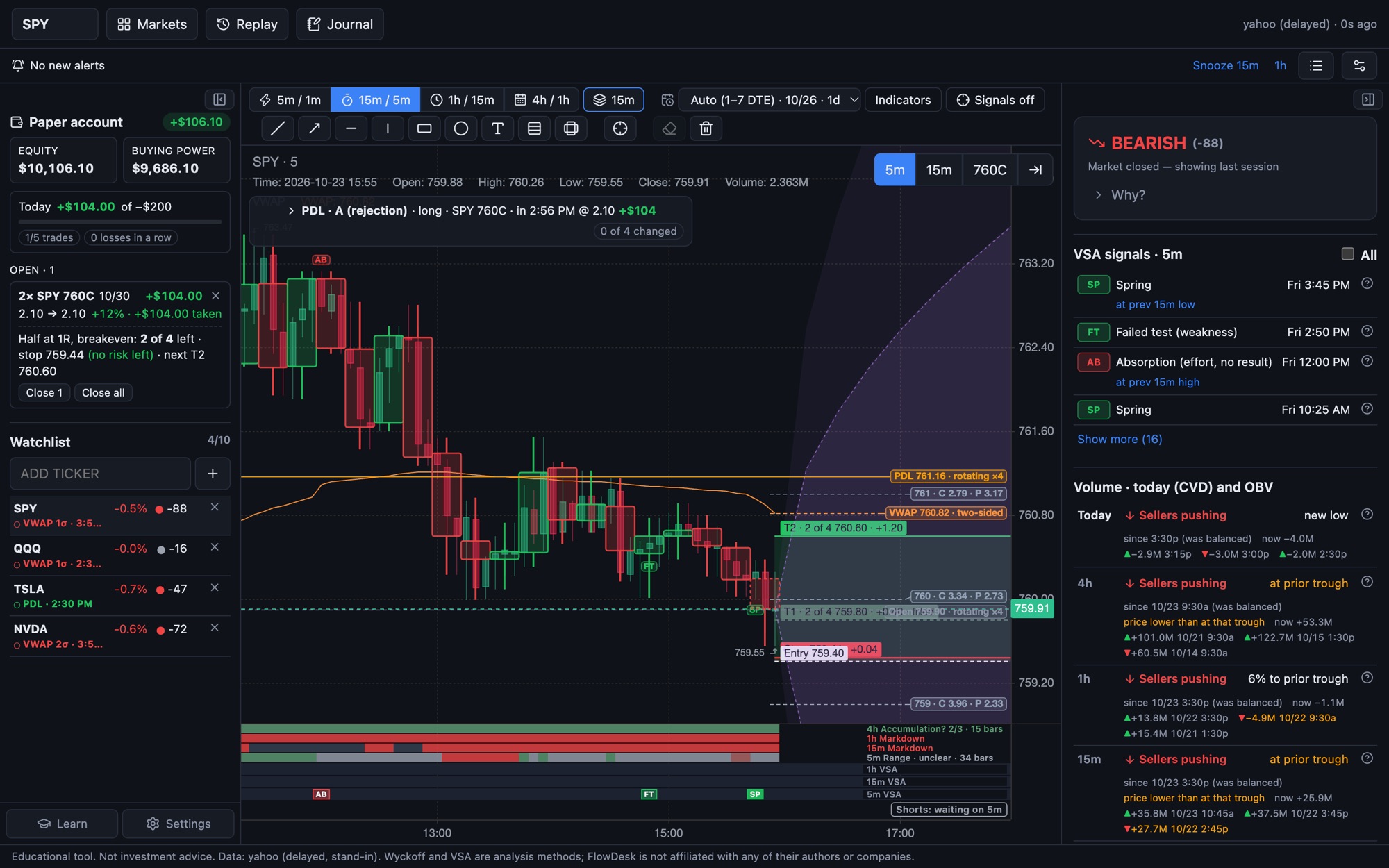
Condor Charts shows what price, volume and options are doing right now: the levels that matter today, VWAP, Wyckoff phase, VSA, and what each contract makes or loses at your stop, fees included. It doesn't tell you to buy or sell, and it doesn't draw the future.
You've already paid for tools that promised more than they delivered.
Signals that looked great in screenshots
Buy and sell marks drawn after the fact, projected targets, a win rate on the sales page. Then they fell apart live, and nothing told you when to trust them.
Right idea, wrong option
You called the move and still lost: the spread was wide, theta ate the premium, or the strike barely moved with the stock.
Nothing that makes you better
No record of why you entered, no plan for getting out, and nothing that stops the third trade after two losses.
Condor Charts reads the market. You make the trade.
- Today's levels
- VWAP and its bands
- Wyckoff phase
- Volume spread analysis
- Who is pushing (CVD)
- Every contract, priced
- Whether to trade
- Which contract
- How many
- Where you're wrong
- How you get out
No buy or sell signals, no projected targets. The decision stays with you, and so does the record of how it went.
Today’s map, on one chart.
The levels a day trader checks every morning, drawn and labelled, with what price is doing at each one.
- Levels with a state. Previous day high and low, the open and daily ATR levels, each marked holding, testing, rotating or broken.
- VWAP that says what kind of day it is. Trend or two-sided, with the deviation bands you choose.
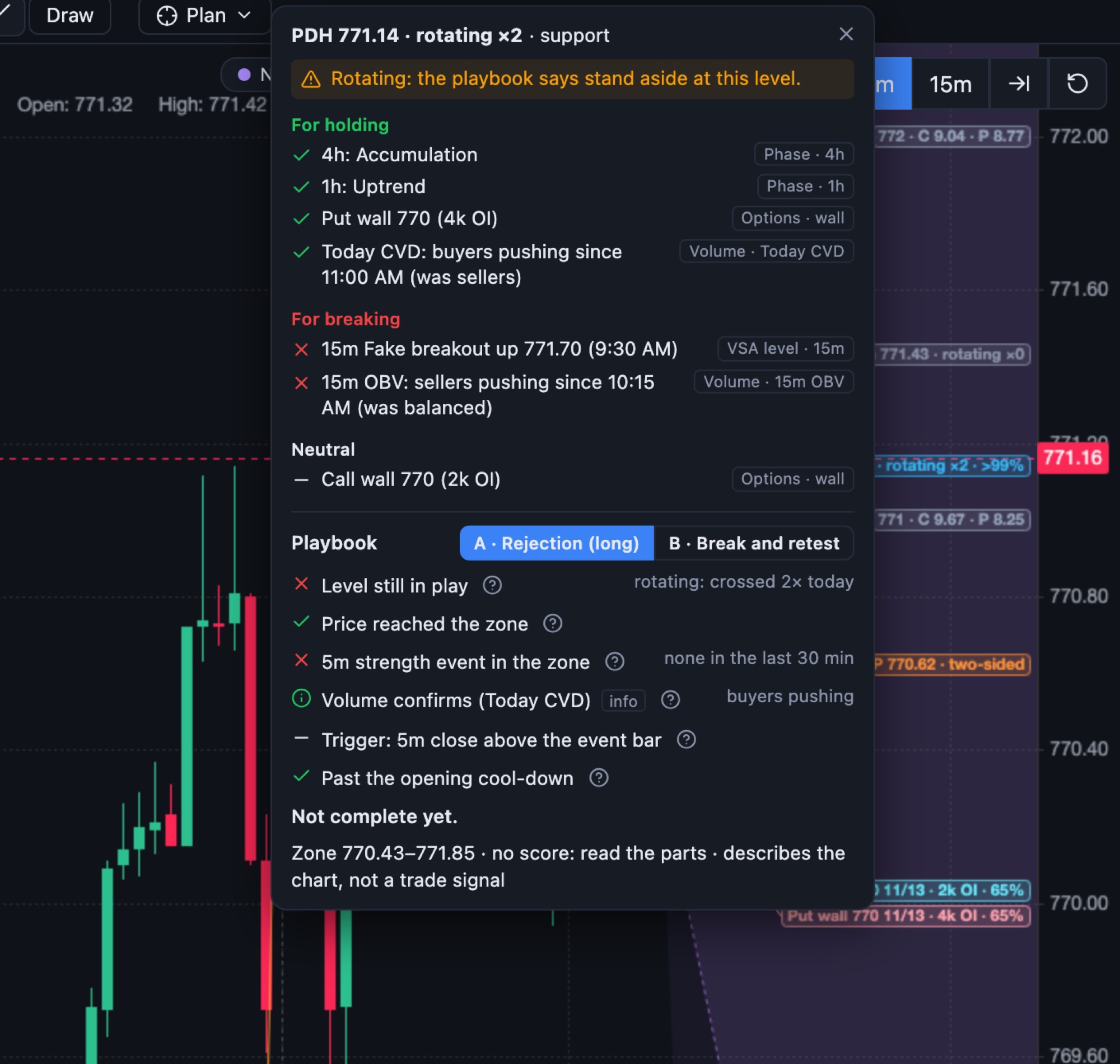
- Click a level for its evidence. What supports it holding, what supports a break, and the playbook checklist, each item with its source.
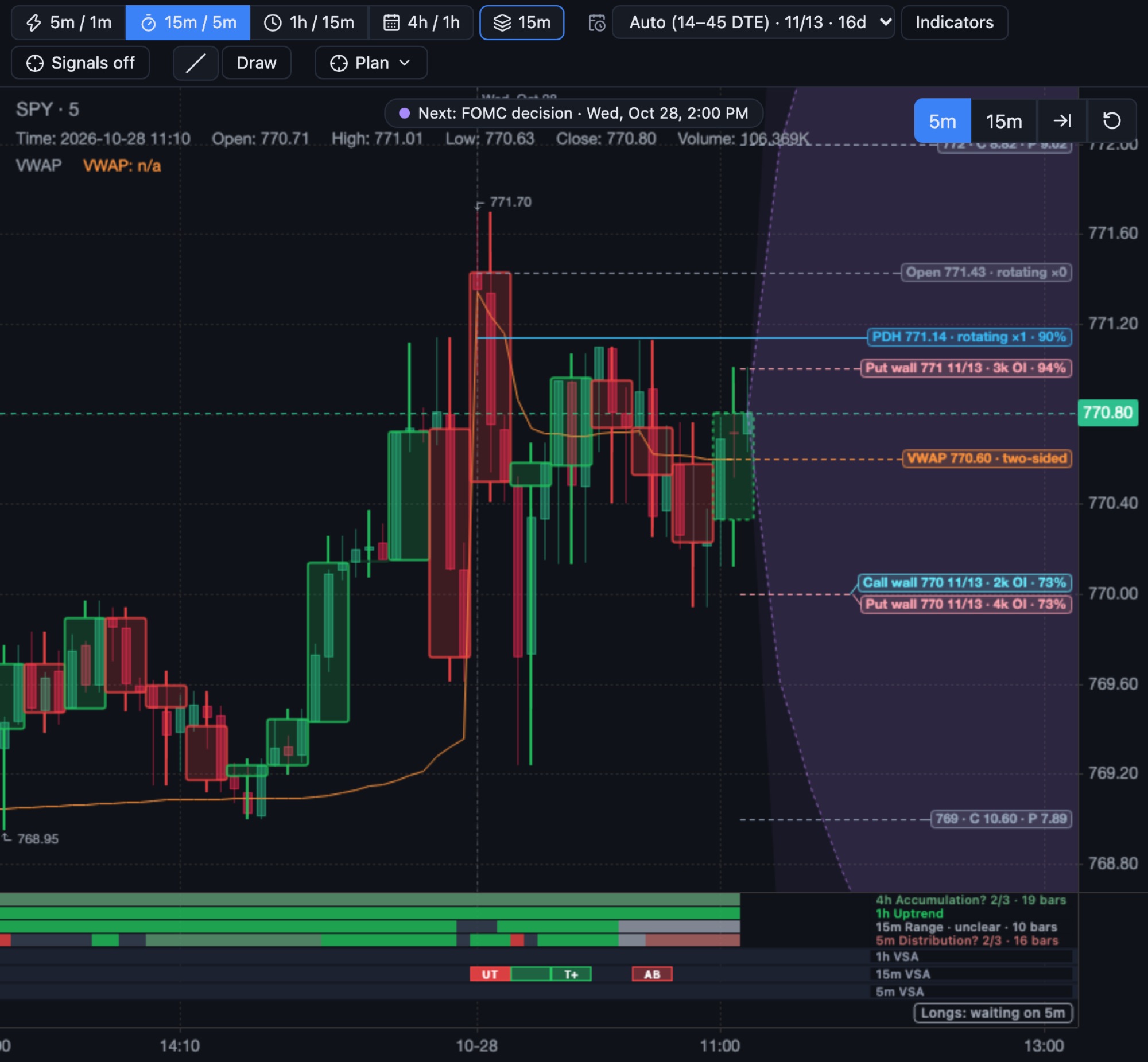
- Options on the price axis. Nearby strikes with call and put prices, walls, breakevens with fees, and the expected-move cone.
- News on the chart. Fed decisions, CPI and other reports, and earnings dates, marked where they fall.
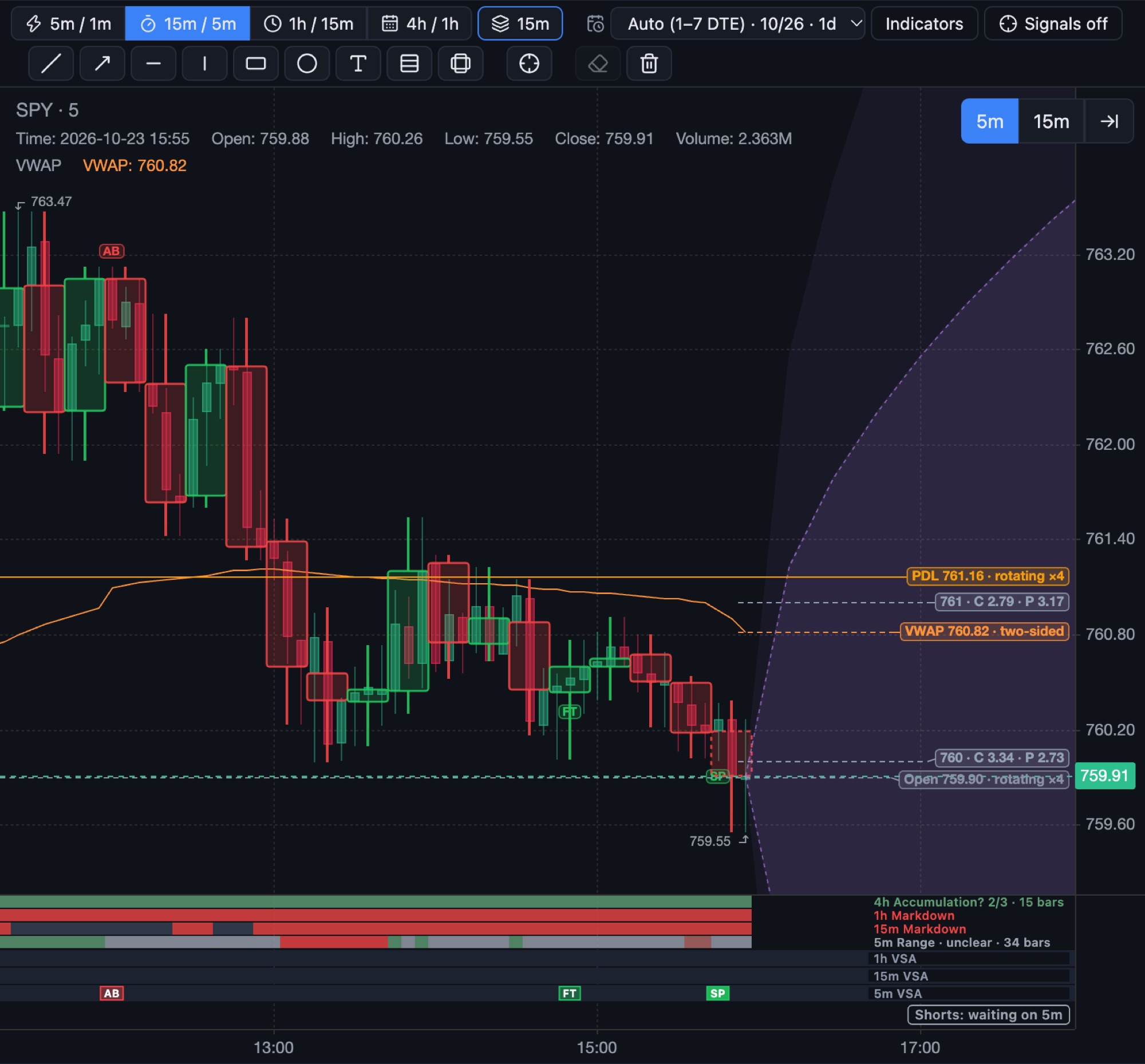
Phase on four timeframes. Volume events on three.
Under the chart, one strip per timeframe shows where the market is in its cycle, and where the volume events happened.
- Wyckoff phase on the 4h, 1h, 15m and 5m: accumulation, markup, distribution, markdown or a range, with how many bars it has lasted.
- VSA strips for the 1h, 15m and 5m, so a 5-minute spring lines up under the 15-minute bar it belongs to.

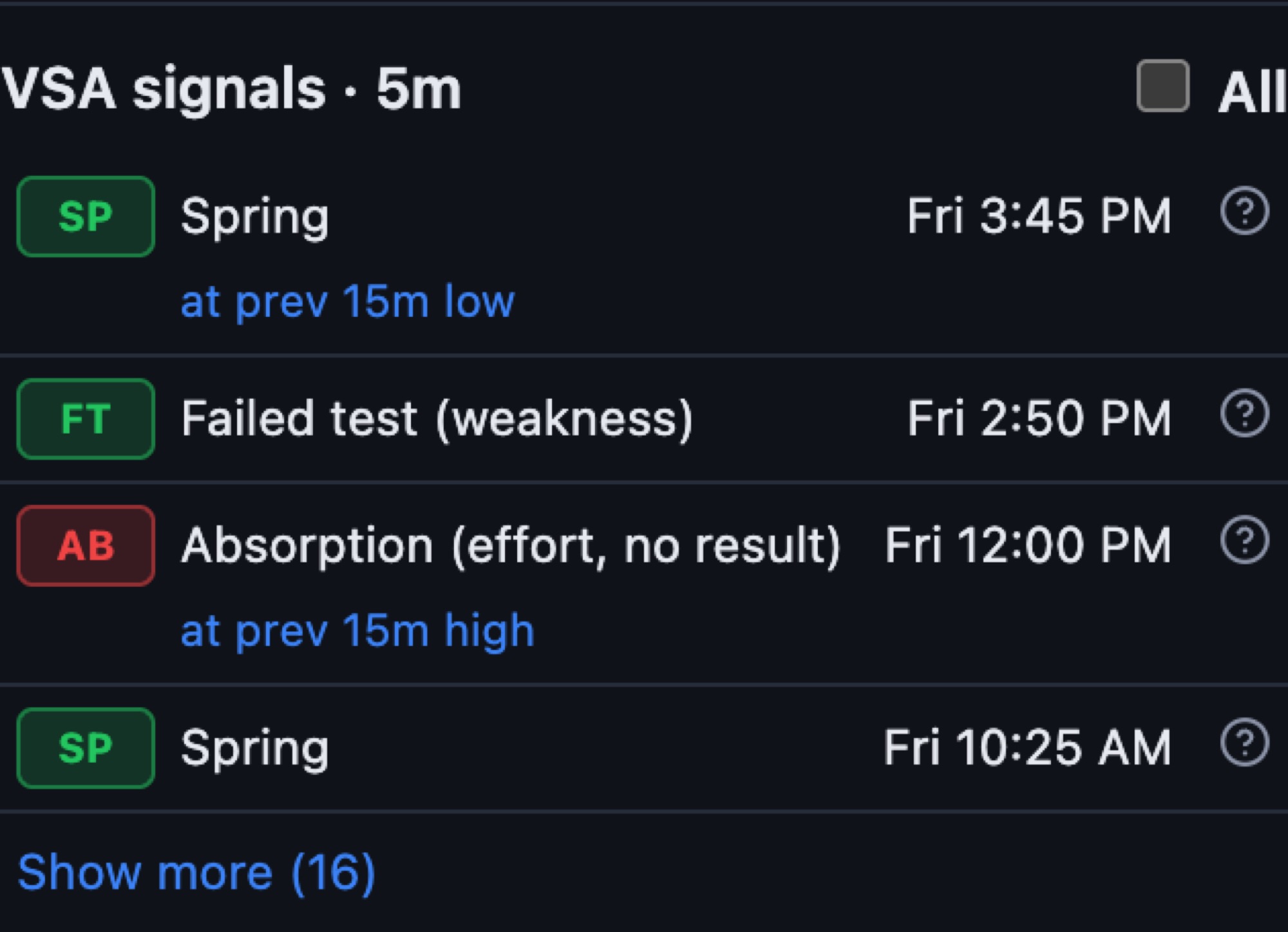
Every volume event, with where it happened.
Climaxes, springs, upthrusts, tests and shakeouts on the timeframe you trade, newest first.
- Each signal says where it formed, such as “at the previous 15-minute low”.
- Click the (?) to see what the bar shows, and how similar climaxes played out on this symbol.
- No Supply and No Demand stay off by default; turn them on in Settings.
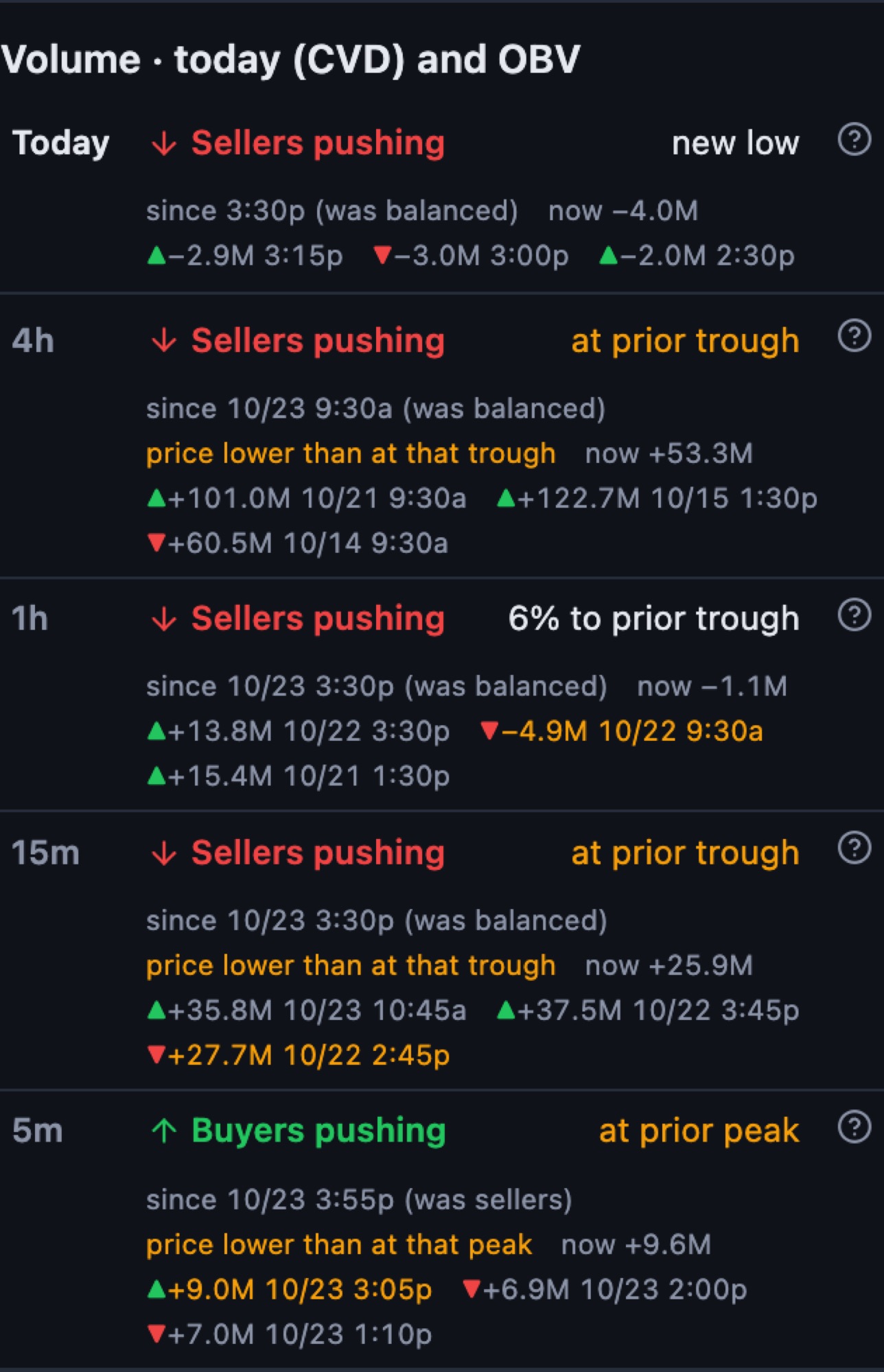
Who is pushing, in plain words.
Cumulative volume delta for today and on-balance volume on four timeframes, written as buyers pushing, sellers pushing or balanced.
- Since when, and what it was before: “since 3:30 (was balanced)”.
- Whether price agrees: “price lower than at that trough” flags a mismatch.
- Recent peaks and troughs with their values and times.
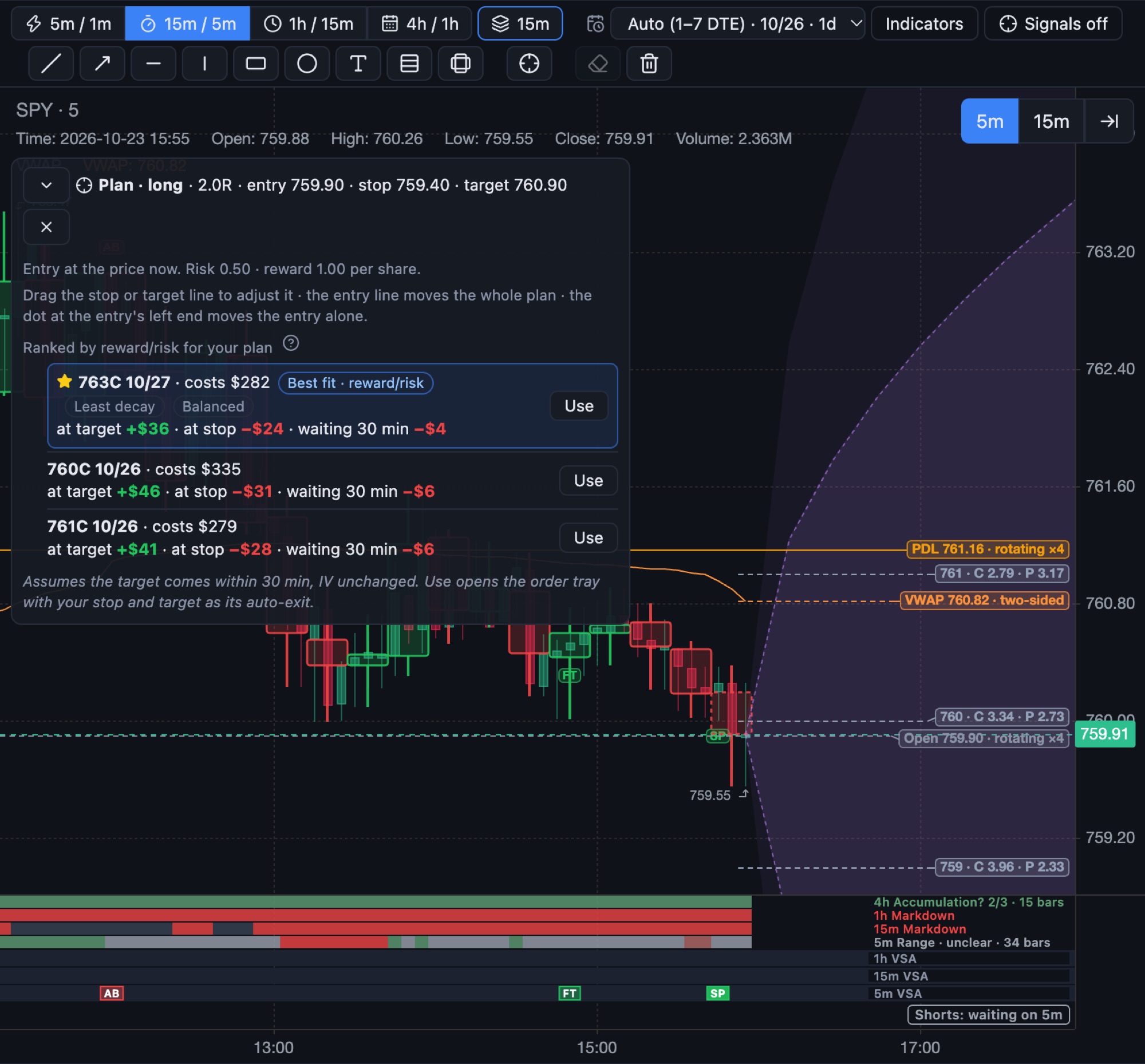
Draw the trade. Get the contract that fits it.
Put your entry, stop and target on the chart. Condor Charts prices every nearby contract for that plan in plain dollars, so you can choose without reading Greeks.
- Three numbers per contract: at your target, at your stop, and the cost of waiting for your hold time.
- Ranked per dollar risked by reward to risk, least decay, or a balance of both.
- The best fit, starred. Tags say why: reward to risk, least decay, balanced.
- Breakevens with fees, 30 minutes from now and at expiration, drawn on the chart.
- Bad quotes left out: wide spreads, thin open interest and quotes out of line with the stock.
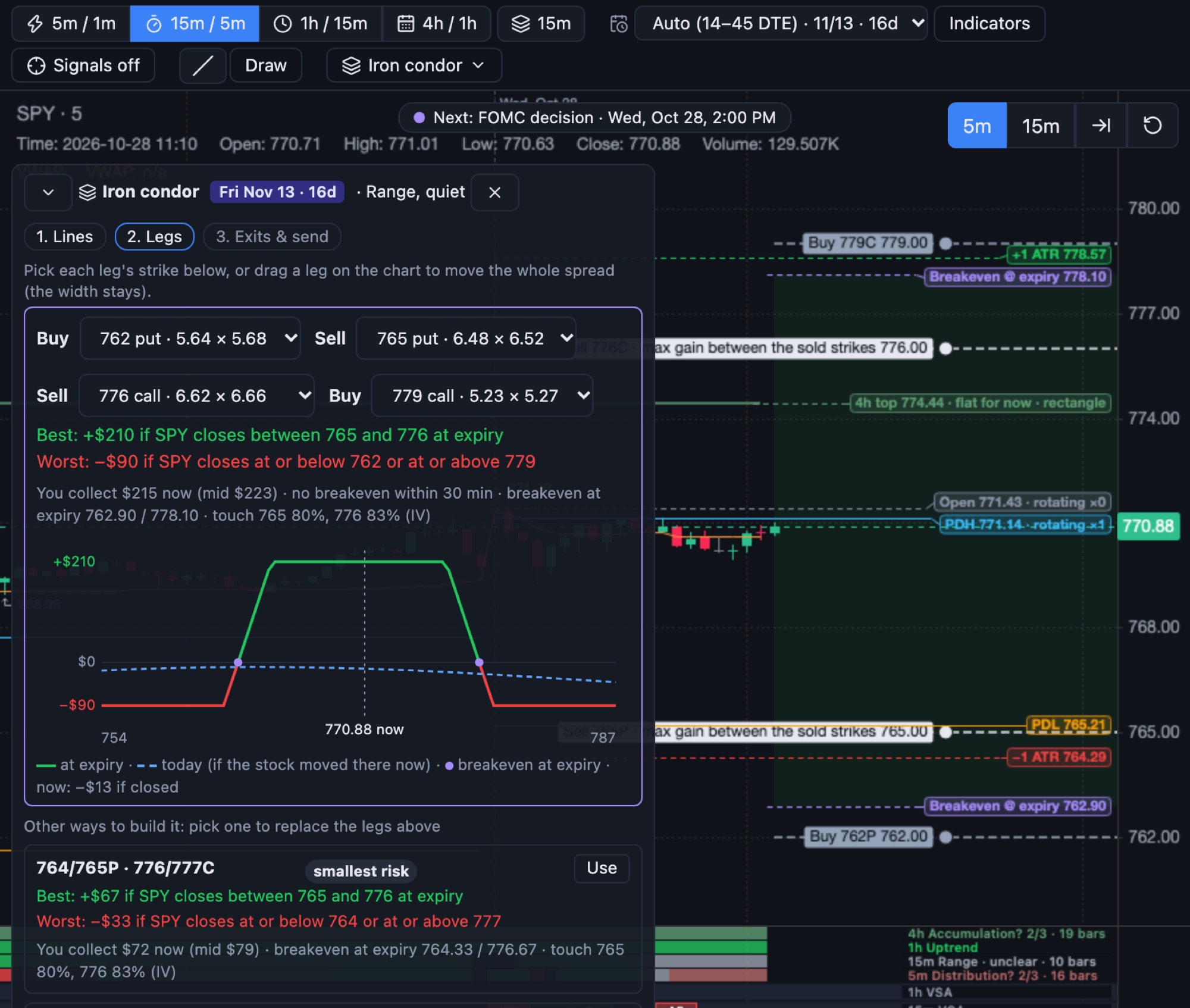
Pick a strategy. Build it from lines on the chart.
Spreads, iron condors, butterflies, straddles, strangles and cash-secured puts. Draw the range or the target, and Condor Charts finds the legs on a real expiration.
- Every strategy in one list, each with its textbook use, such as “Range, quiet”. A fixed label, never a read of today’s chart.
- Three steps: lines, legs, exits. Pick each leg’s strike, or drag a leg and the spread moves with its width.
- Best and worst case in dollars, the payoff curve at expiration and today, and the breakevens drawn on the chart.
- Other ways to build it, tagged smallest risk, best reward for the risk, or closest to your lines.
Size by risk. Pick how you get out.
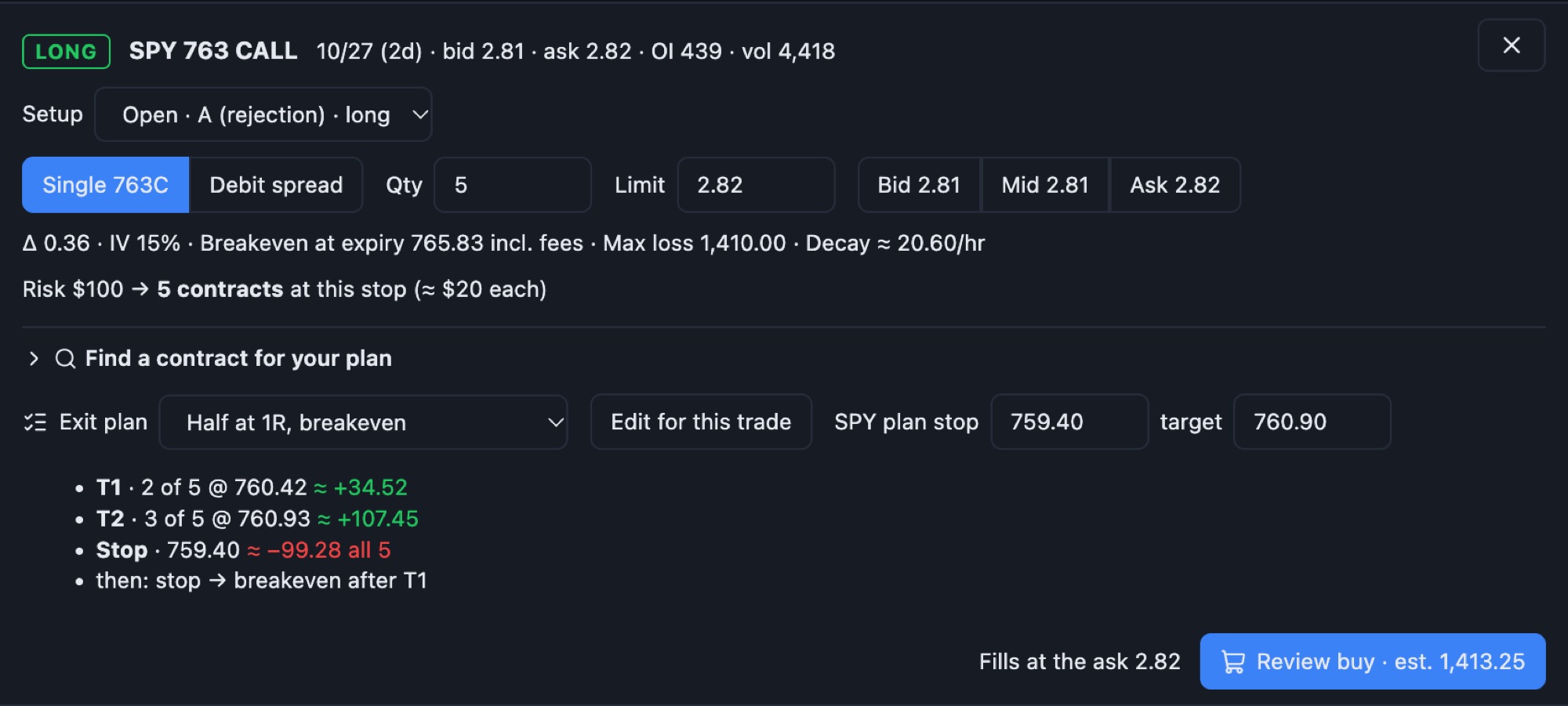
The ticket suggests a size from your risk per trade, shows the breakeven with fees, and resolves your exit plan into prices and contracts before you buy.
- “Risk $100 → 2 contracts at this stop”, never changed for you.
- Each target and the stop in dollars, before you commit.
- “No exit plan” is always a choice.
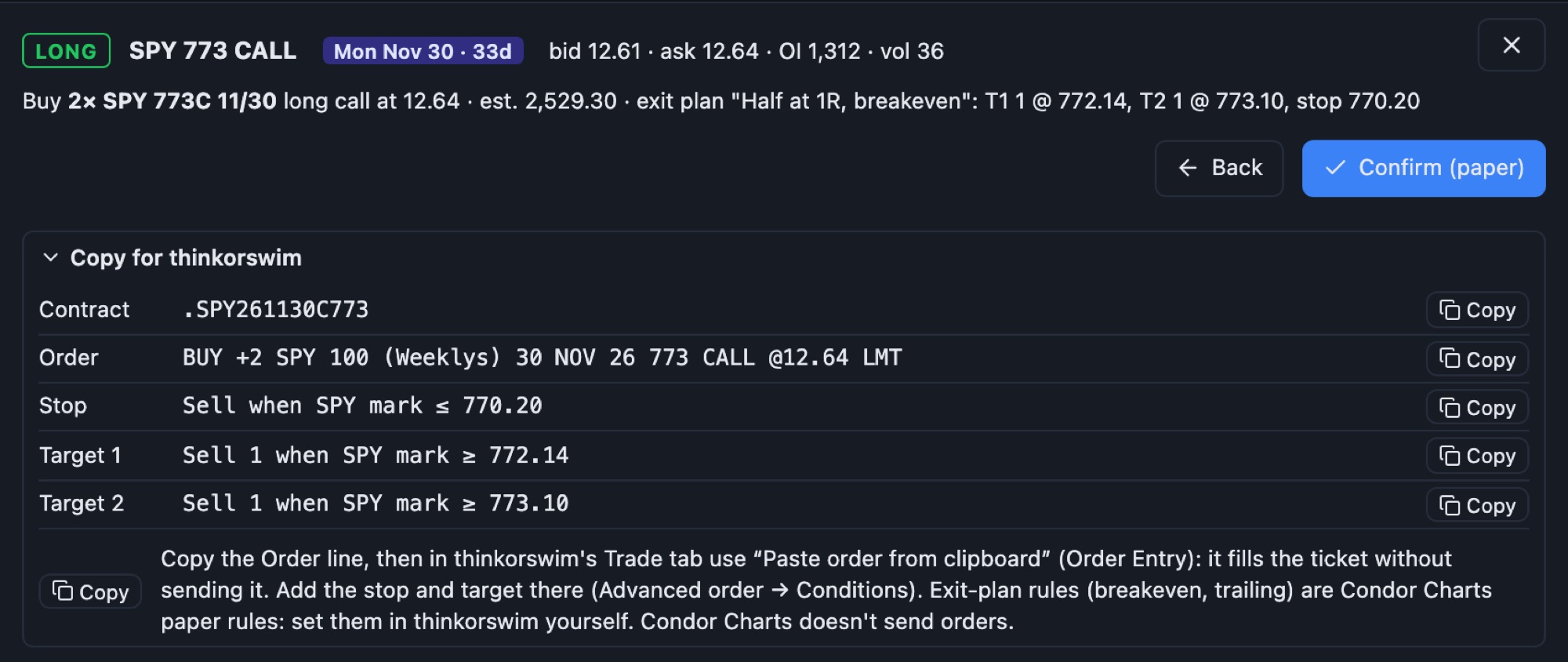
- Copy for thinkorswim: the order line for “Paste order from clipboard”, with the stop and targets as conditions. Condor Charts never sends orders.
Design how you take profits.
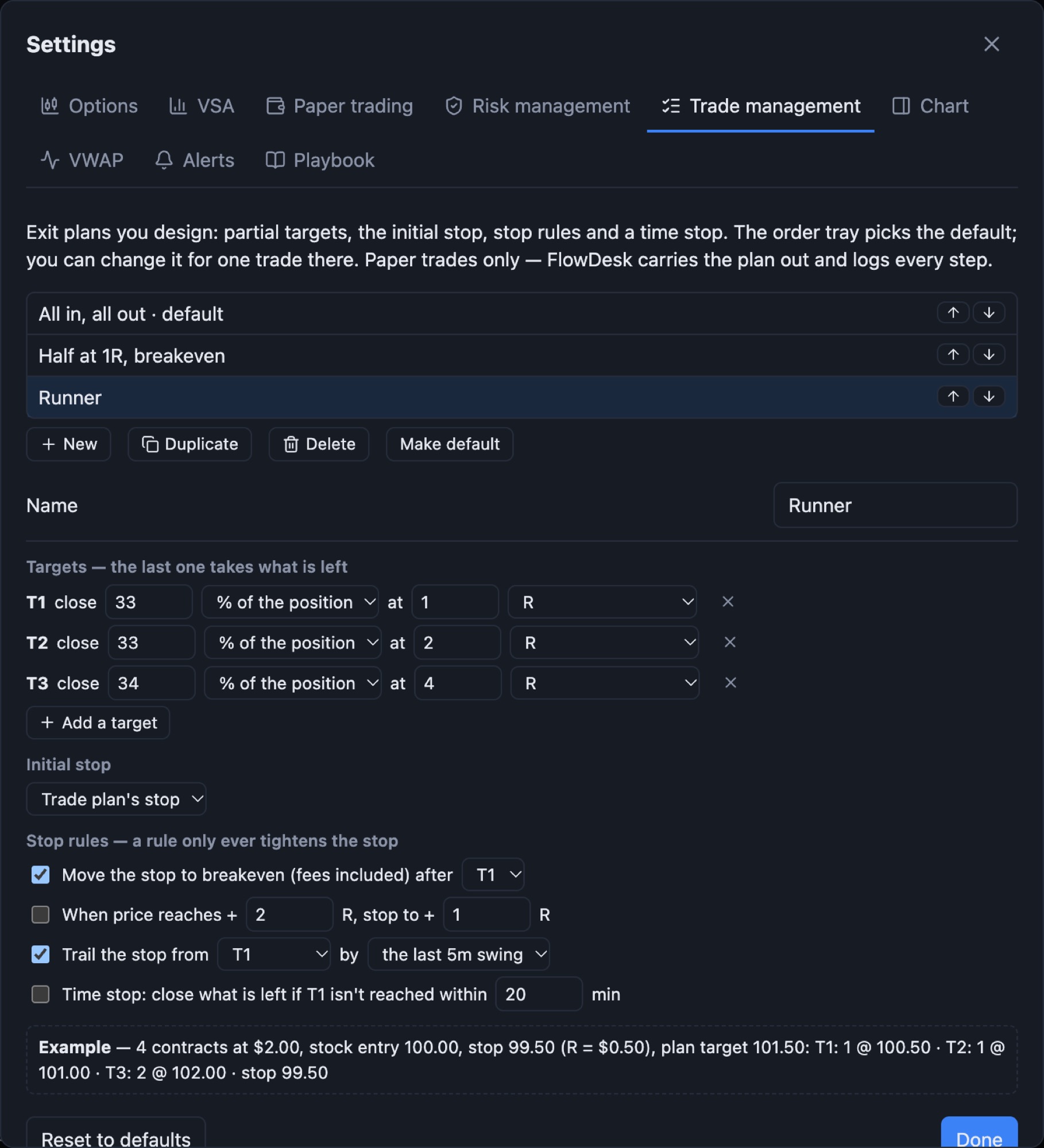
Partial targets, an initial stop, stop rules and a time stop. Save them as plans and pick one per trade.
- Targets in R, option %, the plan’s target or a price.
- Breakeven after a target, lock-ins, and trailing by swing, ATR or VWAP. Rules only ever tighten the stop.
- A worked example under every plan, in dollars.
A trade card that remembers why you entered.
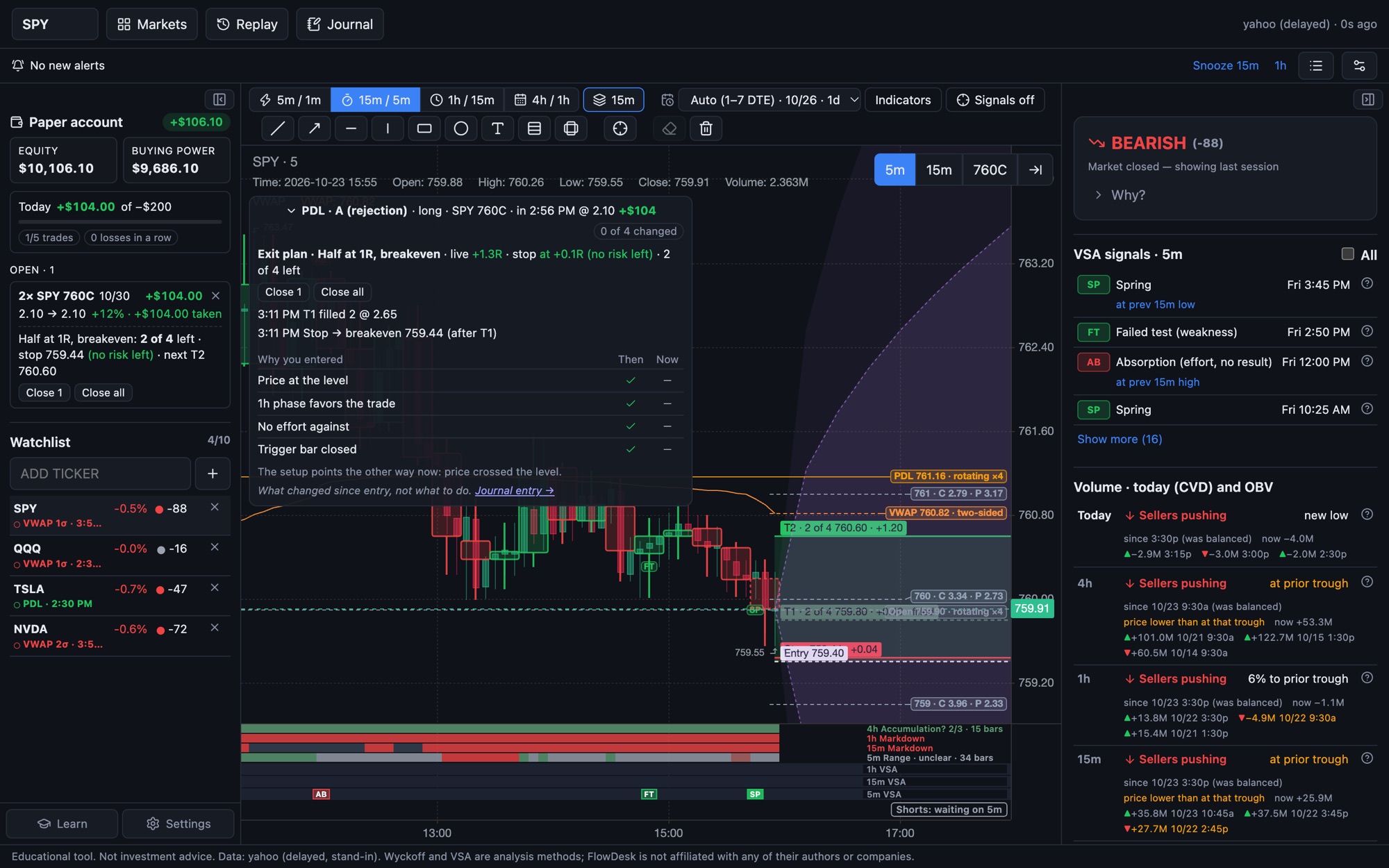
While a trade is open, the card shows the reasons you had at entry next to the same checks now, and every step the exit plan took.
- Live R, where the stop sits, and how many contracts are left.
- A timeline: “T1 filled 2 @ 10.15”, “Stop → breakeven”.
- Close 1, Close all, Stop → breakeven, one click each. What changed since entry, never what to do.
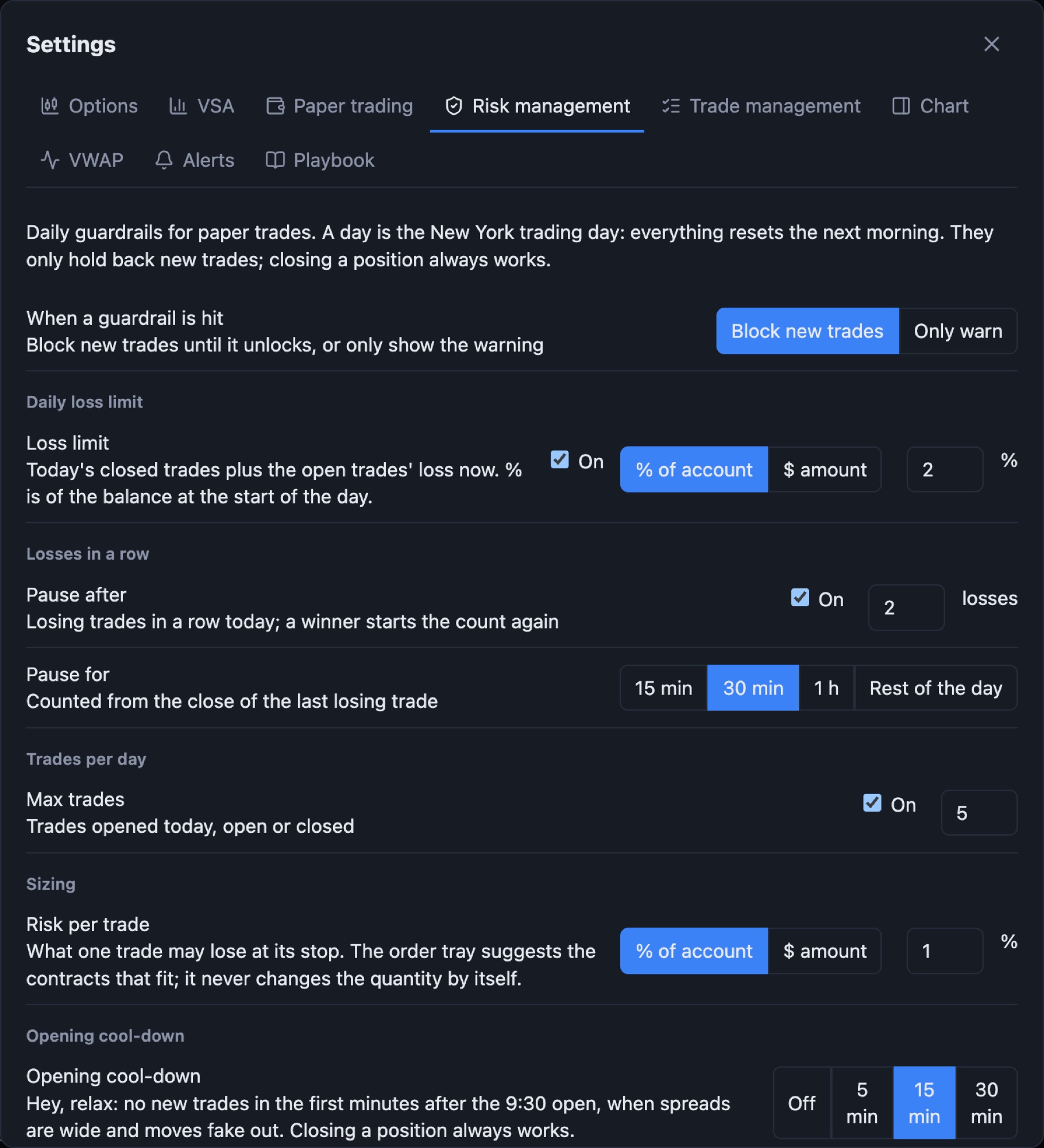
Rules that hold when you don’t.
A daily loss limit, a pause after losses in a row, a cap on trades per day, and an opening cool-down. Block new trades or just warn.
- Loss limit in dollars or percent of the day’s starting balance.
- Pause after 2 losses for 15 minutes, an hour or the rest of the day.
- Closing a position always works.
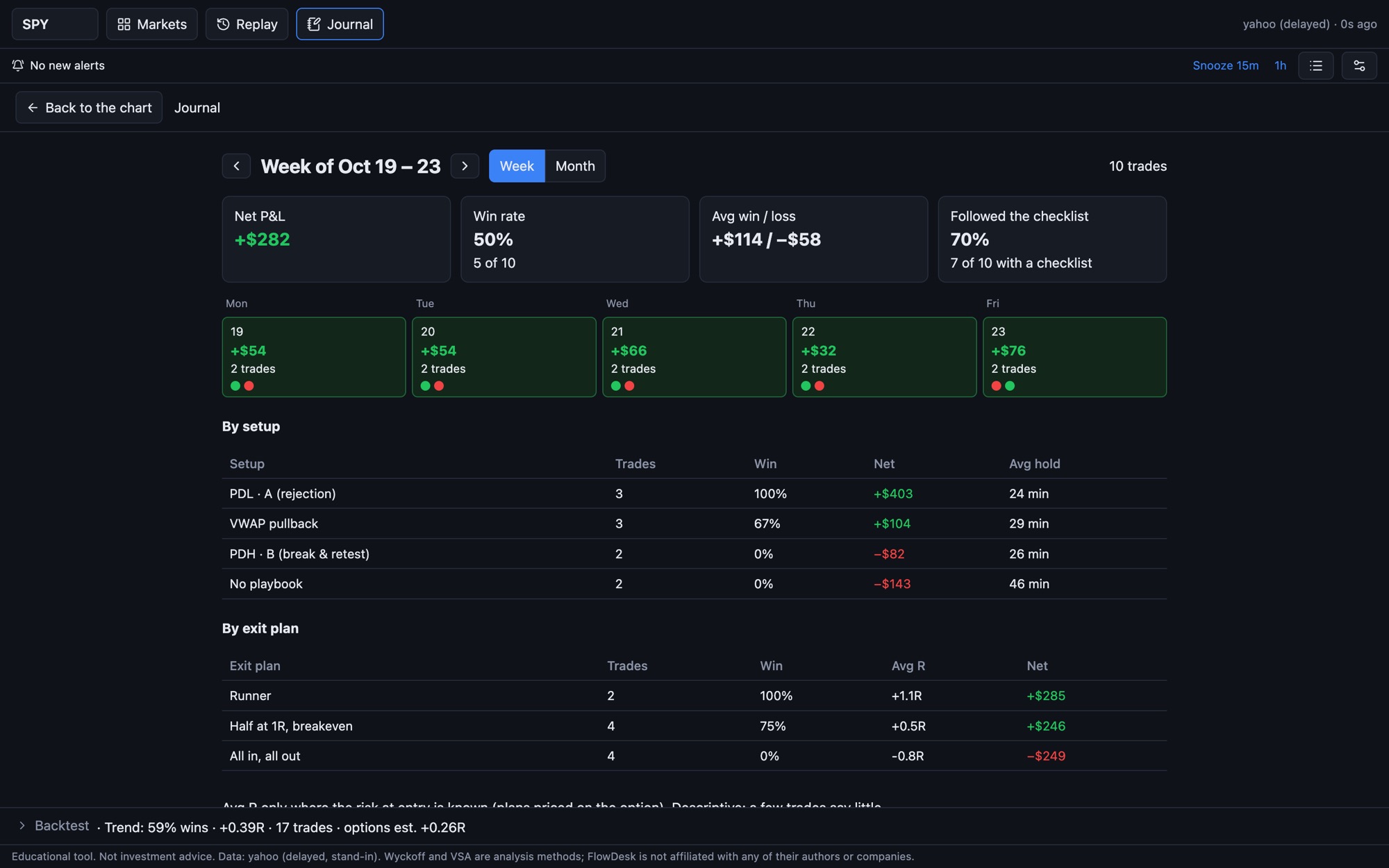
See your habits, not just your P&L.
Every paper trade lands in the journal with the chart at entry and exit. The weekly review breaks it down.
- By setup and by exit plan: trades, win rate, average R and net.
- Habits: checklist complete or not, time of day, how long losers were held, trades in the cool-down.
- Calendar by week or month, one click to any trade.
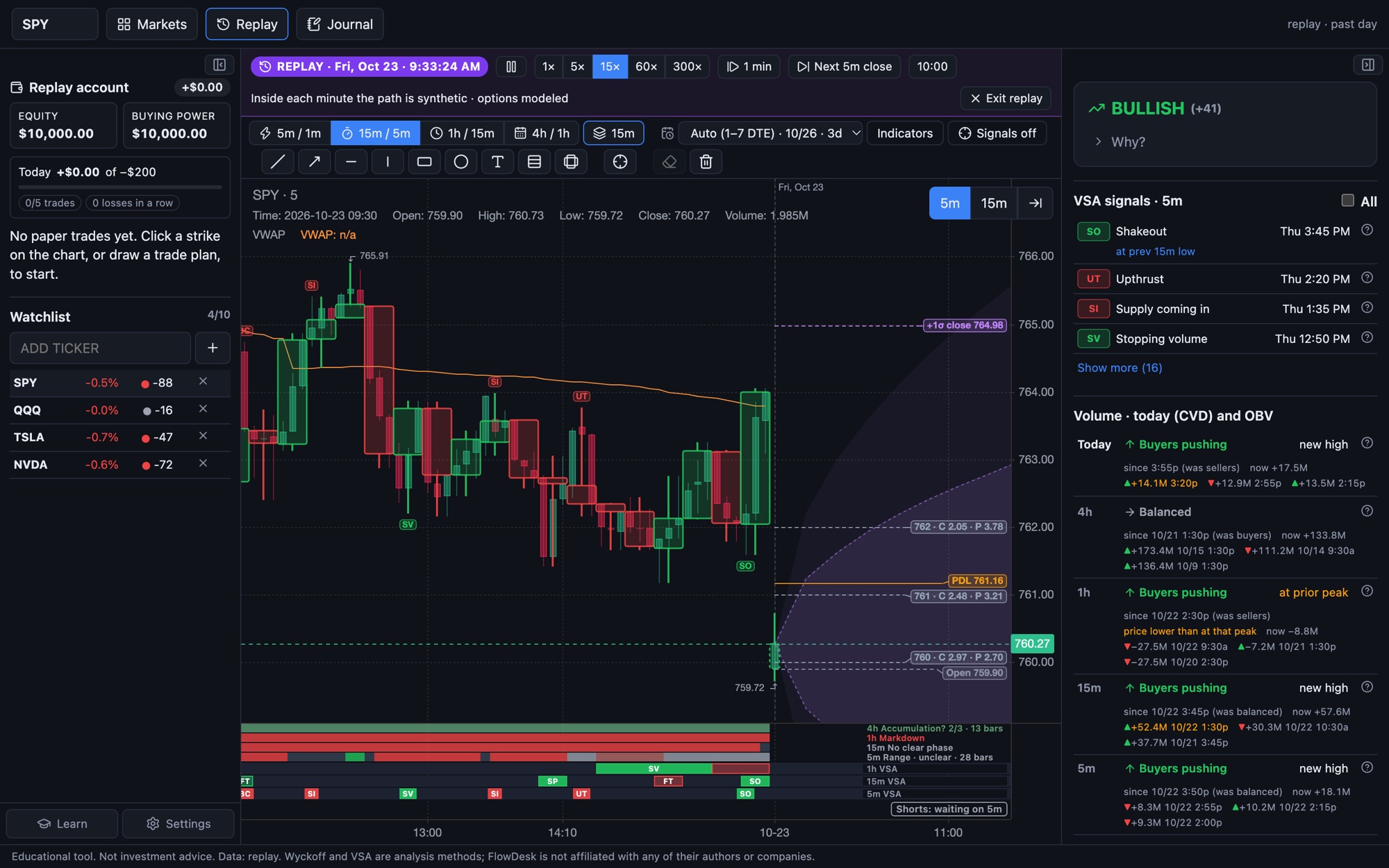
Practice any past session.
Pick a day and trade it again. Candles form tick by tick from 1-minute data, and option prices are modeled for that day.
- Play at 1× to 300×, or step a minute or a bar at a time.
- A separate replay account, so practice never mixes with your paper record.
- A summary at the end, like a live day.
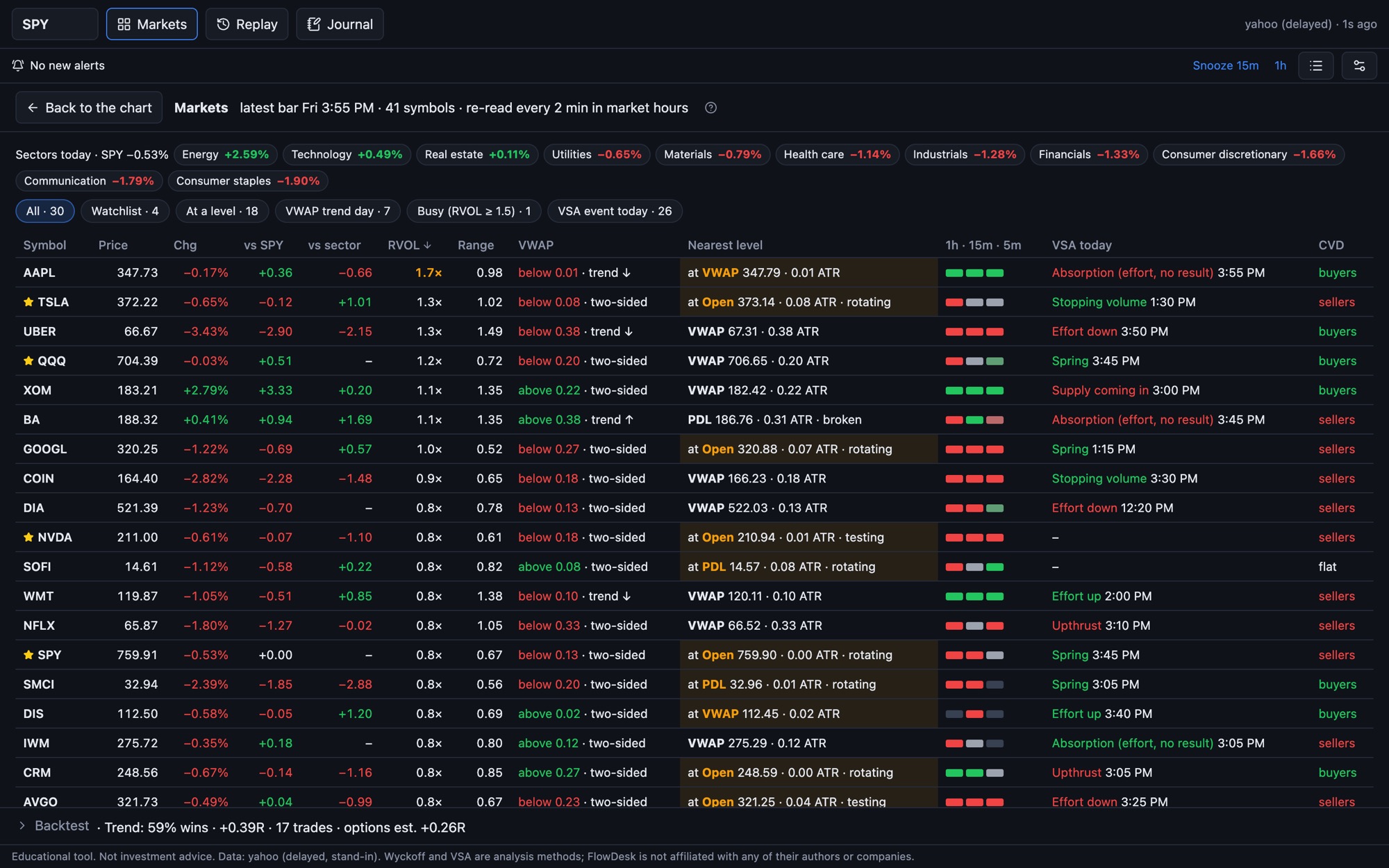
The whole market on one page.
Indexes, sector ETFs and your watchlist side by side, read every two minutes during market hours.
- Change, relative strength against SPY and the sector, relative volume and range.
- VWAP side and day type, the nearest level and its state, phase on three timeframes, the latest VSA event and CVD.
- Filters: at a level, VWAP trend day, busy, VSA event today.
Each symbol’s options, read at the close.
One page per symbol from end-of-day option data, and a scanner across the whole list. Numbers and plain words, with what to look for in every card.
Is premium cheap or rich?
ATM IV, IV rank, realized volatility, skew and the term structure, with their history.
What the options price in
The move priced for each expiration, and whether the next earnings report is priced in.
Where the big strikes sit
Call and put walls, max pain as a reference point, and a gamma estimate labelled with its assumption.
Since yesterday’s close
New open interest by strike and what moved. Direction unknown: new positions can be hedges or spreads.
The next report
The date, the move priced for it, and how the stock moved after past reports.
The whole list at once
Filter by IV, expected move, volume and more, then open any symbol’s page.
Know when something happens elsewhere.
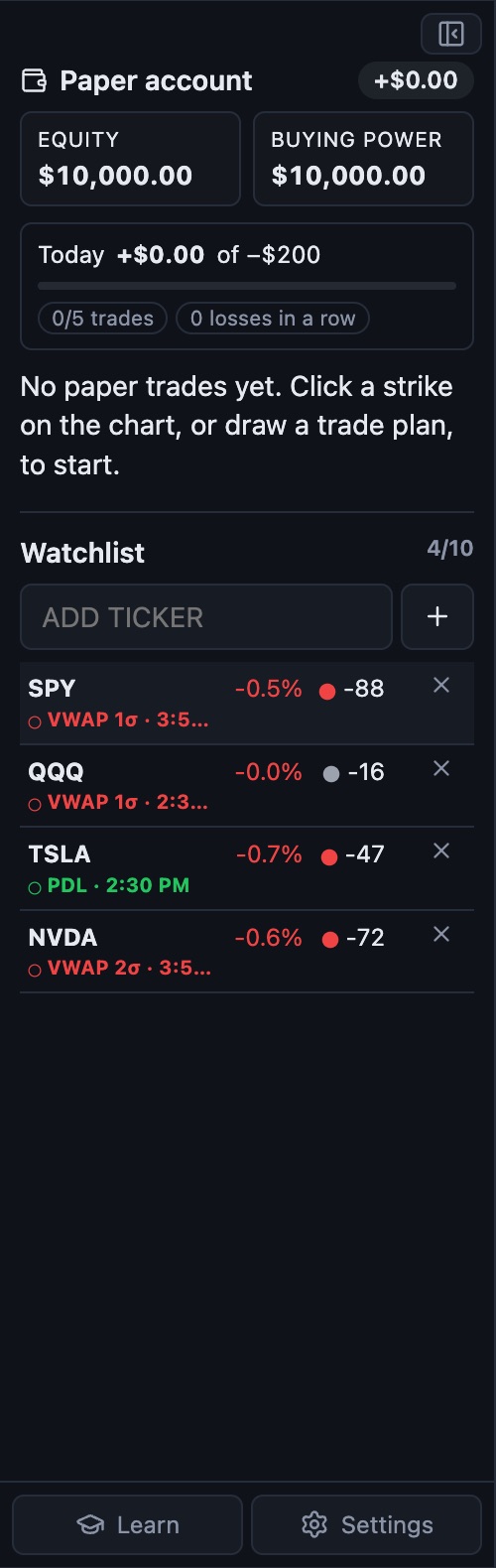
Your watchlist sits beside the chart with each symbol’s bias and its latest alert. A quiet alert strip covers the rest.
- Alerts when price reaches a level, a VWAP deviation, the expected move, or the day’s high or low, in a strip above the chart.
- Snooze for 15 minutes or an hour, or mute alert types.
- Alerts are stored by day, so you can look back.
New to options? Start at zero.
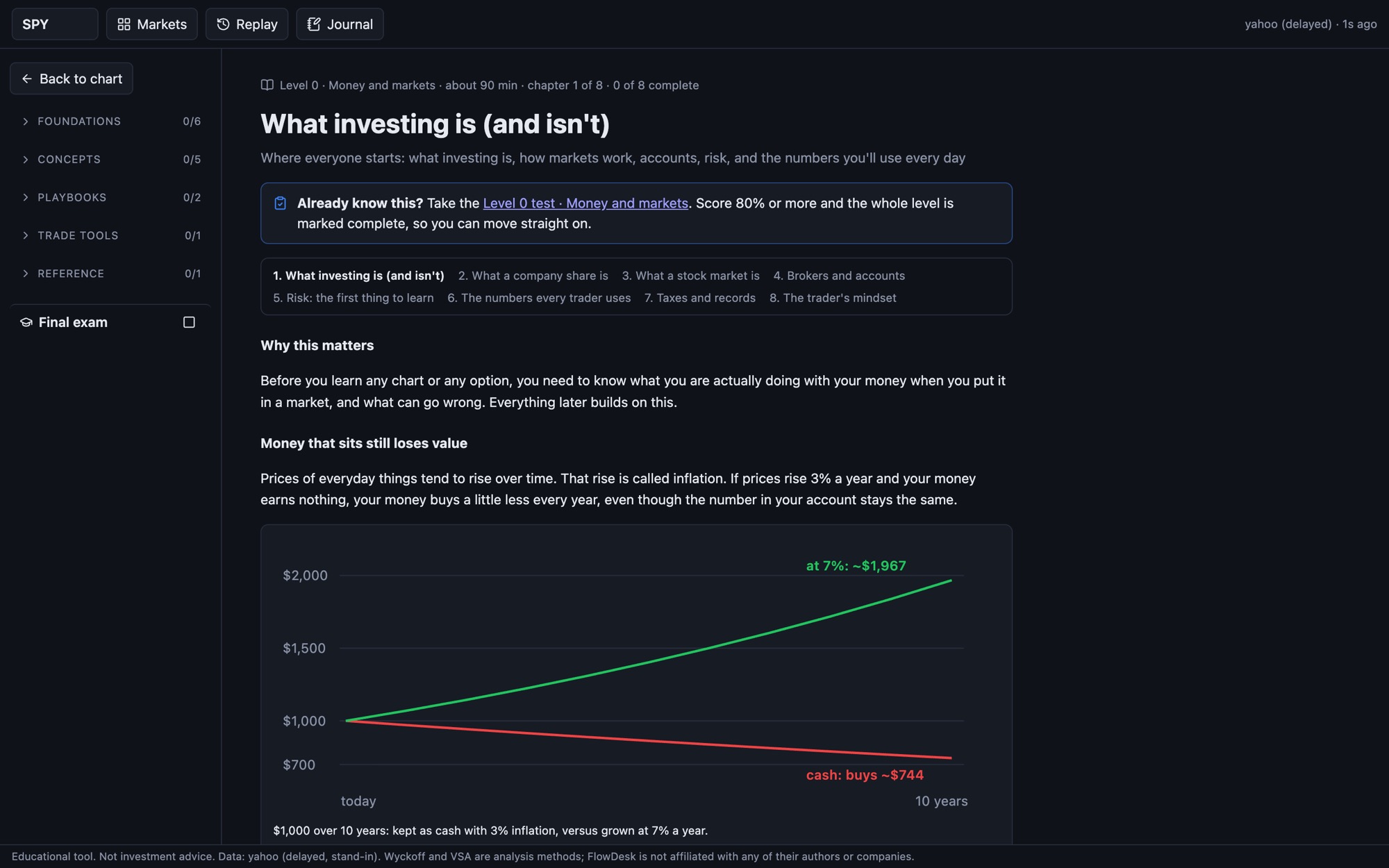
Free courses from how money and markets work, through stocks, options, ETFs, bonds, futures and forex, to technical analysis, Wyckoff, VSA and written playbooks. In English and Spanish.
- Short lessons with real charts, everyday examples, and checks as you go.
- A test for every course. Already know a topic? Take the test and skip ahead.
- Practice drills on real charts: mark the swings, name the day type, place the stop, breakout or fakeout.
- Your progress and completed lessons are tracked.
Create your free Academy account
- Every course, each with its test
- Practice drills on real charts
- The final exam and certificate
- In English and Spanish
- Your progress is saved to your account
Already have an account? Log in
The chart, explained. The decision, yours.
Condor Charts is in early access, in English and Spanish. Pricing will be announced at launch.
Back to the top